November 4, 2026 · Aurava Editorial Team
Unlocking True Vibrancy: The Ultimate Guide to HDR and Dolby Vision Wallpapers for Your Display
Discover how High Dynamic Range (HDR) and Dolby Vision revolutionize your display's visuals, bringing unparalleled color, contrast, and brightness to your wallpapers. Learn to optimize your screen for a truly immersive experience with Aurava's vibrant collections.
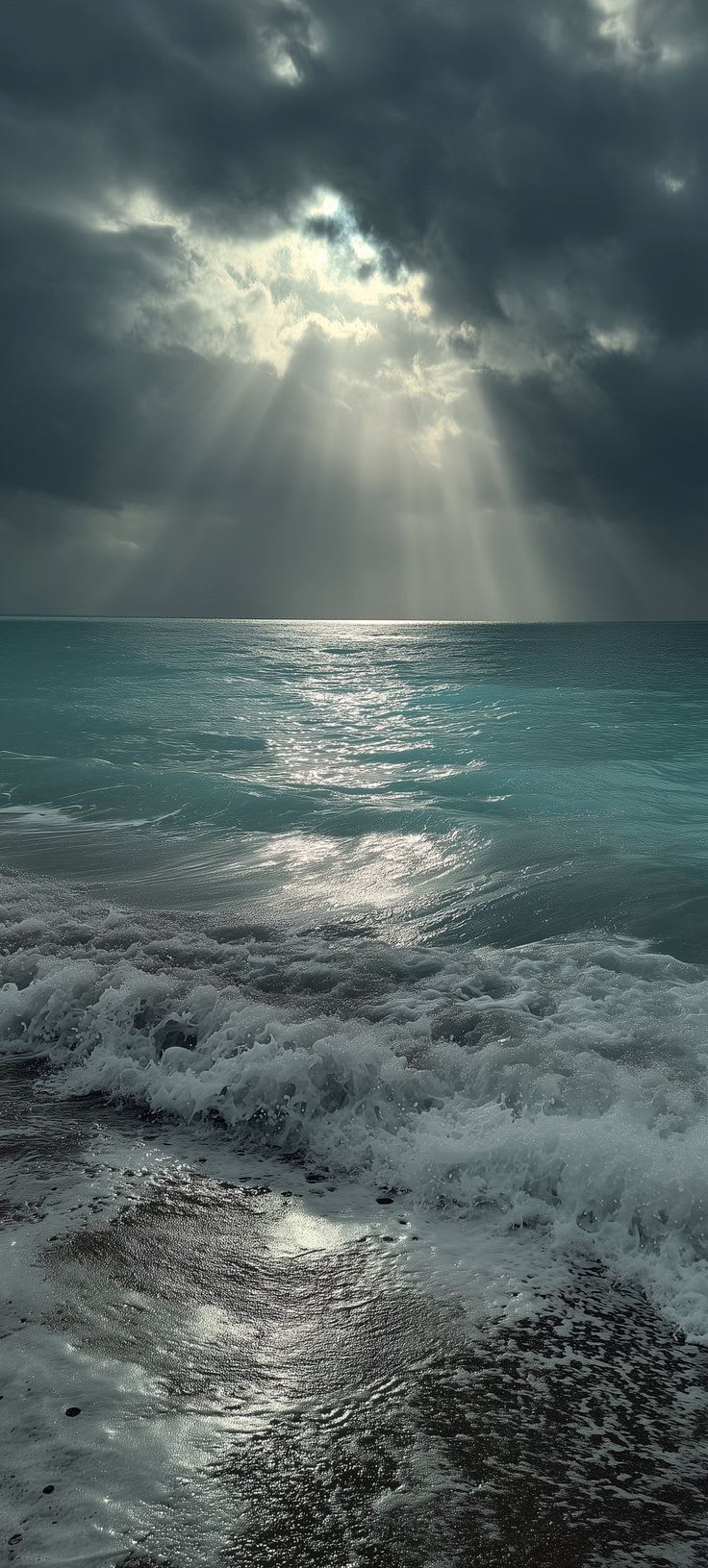
TL;DR: High Dynamic Range (HDR) and Dolby Vision elevate your display's visual fidelity by expanding contrast and color depth, delivering brighter whites, deeper blacks, and a richer spectrum of hues for an incredibly lifelike wallpaper experience. Optimizing your display for these technologies unlocks true vibrancy, making every image on Aurava pop with unparalleled detail and realism.## What Is HDR and Dolby Vision?:High Dynamic Range (HDR) and Dolby Vision are advanced display technologies designed to reproduce a wider range of luminance levels and colors than standard dynamic range (SDR), resulting in a more immersive and true-to-life visual experience. HDR broadly refers to the capability of a display to show a greater contrast between the brightest and darkest areas of an image, alongside a much broader color palette. Dolby Vision, a proprietary form of HDR, takes this further by employing dynamic metadata, which optimizes the picture quality scene-by-scene or even frame-by-frame, ensuring precise color and brightness rendition tailored to your specific display's capabilities.## Why It Matters:The significance of HDR and Dolby Vision for your display lies in their ability to transform static images into breathtaking visual journeys. For wallpapers, this translates to unparalleled display clarity, where subtle gradients become distinct, and shadows reveal hidden textures. The expanded color gamut allows for a more accurate and vibrant representation of hues, making Aurava's nature landscapes more vivid and space nebulae more ethereal. Beyond aesthetics, using content optimized for your OLED or AMOLED display can contribute to battery efficiency; pure #000000 black pixels are physically turned off, consuming 0 watts and potentially extending device battery life by 15% to 30%. This enhancement significantly impacts visual aesthetics, delivering an immersive experience that traditional SDR cannot match.## How It Works:HDR and Dolby Vision achieve their superior image quality through a combination of increased brightness, deeper contrast, and an expanded color volume.### Luminance and ContrastUnlike SDR, which typically operates within a limited brightness range (e.g., 100-300 nits), HDR displays can reach peak brightness levels upwards of 1000 nits or more, coupled with significantly darker blacks. This allows for a greater difference between the brightest highlights and the deepest shadows in an image. Dolby Vision further refines this by using 12-bit color depth and dynamic metadata, which means each scene's brightness and color information is individually optimized, allowing your display to reproduce content with extreme precision, maximizing its unique capabilities.### Color GamutHDR content utilizes a wider color gamut, such as Rec. 2020, which contains a far greater spectrum of colors than the traditional Rec. 709 used in SDR. This enables the display to render more saturated and accurate colors, making reds richer, greens lusher, and blues deeper. When viewing Aurava's vibrant wallpapers, this translates into a noticeable difference in realism and depth.### Display Standards and ResolutionsTo fully appreciate HDR and Dolby Vision, your display needs to support these standards. This includes modern displays capable of native 4K UHD (3840×2160) resolutions, Ultrawide (21:9 at 3440×1440), or even 32:9 Super Ultrawide formats, all benefiting from the enhanced dynamic range. High-DPI Retina scaling on Apple devices also gains significantly from HDR's color and contrast improvements, making every pixel count. For those who enjoy live video wallpapers, Aurava delivers seamless H.264 MP4 video loops that run efficiently (<1% CPU) using GPU hardware acceleration on Windows 11 (via free open-source Lively Wallpaper or Steam Wallpaper Engine) and macOS (using native screensavers or loop utilities), ensuring a smooth, vibrant experience without taxing your system.## Practical Step-by-Step Setup:Setting up HDR and Dolby Vision wallpapers requires both compatible hardware and correct software configuration.Windows 11:1. Enable HDR: Go toSettings > System > Displayand toggle "Use HDR" toOn. Ensure your display is connected via DisplayPort 1.4 or HDMI 2.0/2.1.2. Calibrate: Use Windows HDR Calibration tool (available from Microsoft Store) for optimal color accuracy.3. Wallpaper Engine: For live HDR video wallpapers, use applications like Lively Wallpaper or Steam Wallpaper Engine, which leverage GPU hardware acceleration for efficient playback.4. Download: Obtain HDR-ready wallpapers from Aurava, ensuring they are high-resolution PNG, JPG, or H.264 MP4 files.macOS:1. Automatic Detection: macOS typically detects and enables HDR automatically for compatible displays. Verify inSystem Settings > Displays.2. Native Support: Use native macOS features for dynamic wallpapers or third-party loop utilities for video wallpapers.3. Content: Download high-resolution, HDR-optimized images from Aurava.iOS / Android:1. Device Compatibility: Ensure your smartphone or tablet supports HDR (most modern flagships do).2. Display Settings: Check your device's display settings for options like "Video Enhancer" or "Screen Mode" to ensure HDR is active.3. Wallpaper Application: Simply set downloaded HDR-ready images from Aurava as your wallpaper. The device's display engine will handle the rendering.## Comparison & Specifications:Here's a comparison between general HDR and Dolby Vision:| Feature | HDR (HDR10, HDR10+) | Dolby Vision || :---------------- | :---------------------------------------------- | :-------------------------------------------- || Metadata | Static (HDR10), Dynamic (HDR10+) | Dynamic (frame-by-frame optimization) || Color Depth | 10-bit | Up to 12-bit || Peak Brightness | Up to 1,000-4,000 nits (typical) | Up to 10,000 nits (theoretical) || Color Gamut | Rec. 2020 | Rec. 2020 || Licensing | Open standard (HDR10), Royalty-free (HDR10+) | Proprietary, requires licensing fees || Optimization | Set once per content (HDR10), scene-by-scene (HDR10+) | Scene-by-scene or frame-by-frame adjustment |## Common Mistakes to Avoid: Using SDR content on an HDR display: While an HDR display can show SDR content, it won't benefit from the enhanced dynamic range and may even appear dull if not properly configured. Always seek out HDR-optimized content. Incorrect display settings: Failing to enable HDR in your operating system or display settings will prevent you from experiencing true HDR. Low-quality cables: Using older HDMI or DisplayPort cables that don't support the necessary bandwidth can limit HDR capabilities. Ensure you use HDMI 2.0/2.1 or DisplayPort 1.4 or newer. Unsafe downloads: Downloading wallpapers from unknown sources can expose your device to malware. Aurava provides direct uncompressed media files (PNG/JPG/MP4) free from third-party executables, adware, or watermarks, ensuring a safe and authentic experience. Ignoring resolution: Even with HDR, a low-resolution wallpaper will look pixelated on high-PPI displays. Always download wallpapers matching or exceeding your screen's native resolution, such as Aurava's 4K UHD offerings.## Curated Aurava Wallpaper Showcase:Within Aurava's extensive collections, you'll find numerous wallpapers perfectly suited to highlight the spectacular benefits of HDR and Dolby Vision.### Sun Rays Over Turquoise Ocean- Category: Nature- Resolution: 736x1631- Description: This breathtaking image, with dramatic sun rays piercing through moody clouds and illuminating vibrant turquoise water, is an ideal choice for HDR displays. The deep contrasts between light and shadow, combined with the rich, expansive color palette of the ocean, truly come alive, showcasing the full dynamic range capabilities of your screen.- Download: View and Download on Aurava### Iron Man Suit Falling From Sky- Category: Movies & TV- Resolution: 1404x2048- Description: Experience the intensity of this cinematic moment with enhanced HDR. The sparking blue and orange energy against a dramatic, smoky sky provides a fantastic canvas for HDR's expanded contrast and color vibrancy. The detailed damage on Iron Man's suit and the atmospheric effects will be rendered with striking realism, immersing you in the action.- Download: View and Download on Aurava### Golden Full Moon Twilight Sky- Category: Space- Resolution: 736x1592- Description: This serene wallpaper, featuring a radiant full moon illuminating a twilight sky with a golden glow, is perfect for demonstrating HDR's subtle yet profound impact. The gentle gradient from deep indigo to soft lavender, combined with the moon's luminous presence, will be rendered with exceptional smoothness and depth, highlighting the delicate interplay of light and shadow.- Download:* View and Download on Aurava## Frequently Asked Questions:### What is the main difference between HDR and Dolby Vision?Dolby Vision is a premium, proprietary HDR format that uses dynamic metadata to optimize brightness and color frame-by-frame, offering superior precision compared to standard HDR10's static metadata, which applies a single setting for the entire content.### Do all displays support HDR or Dolby Vision?No, not all displays support HDR or Dolby Vision. Your display, graphics card, and the content itself must all be compatible to experience these technologies. Always check your device's specifications before expecting HDR performance.### Can I use SDR wallpapers on an HDR display?Yes, you can use SDR wallpapers on an HDR display. However, they will not exhibit the expanded contrast or color depth of true HDR content, and you may need to adjust your display settings to prevent them from looking washed out.### How do OLED displays benefit from HDR wallpapers?OLED displays benefit greatly from HDR wallpapers due to their ability to achieve perfect blacks by turning off individual pixels. This inherent capability enhances HDR's deep contrast, making vibrant colors pop against true darkness and extending battery life when dark wallpapers are used.### Where can I find high-quality HDR wallpapers?Aurava offers a curated collection of high-quality wallpapers, including many that are ideal for HDR and Dolby Vision displays. Aurava ensures direct, uncompressed downloads, transparent pricing starting from ~$0.30 / KES equivalent via Pesapal, and personal use licensing.## Conclusion:Embracing HDR and Dolby Vision wallpapers is a transformative step towards unlocking the full potential of your display. These technologies deliver a visual feast, characterized by unparalleled contrast, vibrant colors, and breathtaking realism that makes every image come alive. By understanding how they work and optimizing your setup, you can elevate your viewing experience to new heights. Aurava is dedicated to providing the highest quality wallpapers to complement these advancements, ensuring every pixel on your screen tells a compelling story. Explore Aurava's diverse categories and collections today to discover your next truly vibrant wallpaper.
#hdr#dolby vision#display technology#wallpapers#aurava